
Paper Registers vs Marriage Hall Management Software: Which Is Better?
Compare traditional paper registers with marriage hall management software for bookings, customer payments, accounting, inventory, staff coordination, reporting and event profitability.
By Venue Khata ·
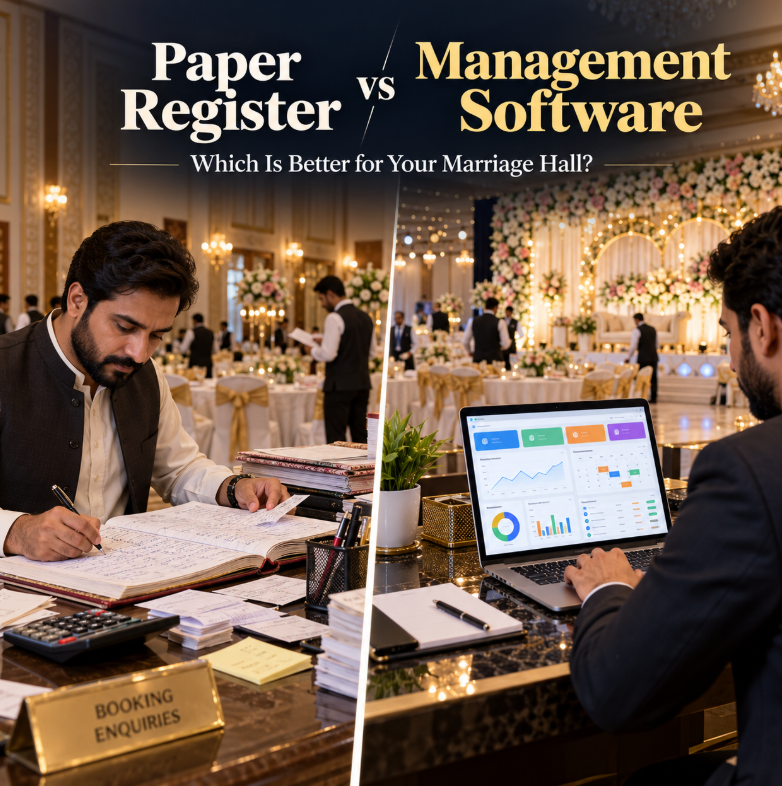
Paper registers have managed marriage hall bookings for decades.
They are simple.
They are familiar.
They do not require training.
A staff member opens the diary, checks a date and writes down the customer's information.
For a small venue, that system may work perfectly well.
But as the business grows, the same register can become one of the biggest operational limitations.
More customers start calling.
Multiple employees handle bookings.
Customers pay in installments.
Events are rescheduled.
Guest counts change.
The venue adds another hall.
Suppliers increase.
Inventory becomes more difficult to control.
Accounts are maintained somewhere else.
At that point, the question becomes:
Is a paper register still enough, or does the business need marriage hall management software?
This guide compares paper registers vs marriage hall management software and explains where each approach works, where problems begin and when it may be time for a venue to move toward a digital management system.
Why Marriage Halls Still Use Paper Registers
Paper registers remain popular for good reasons.
They are:
- Simple
- Familiar
- Fast to start
- Cheap
- Easy to understand
- Independent of internet or computers
An experienced booking manager can often open a register and understand the entire week within seconds.
There is no login.
There is no software setup.
There is no technical training.
For a small venue with one hall and one booking employee, this simplicity can be valuable.
The problem is not that paper registers are always bad.
The problem appears when the business becomes more complex than the register can comfortably handle.
What Is Marriage Hall Management Software?
Marriage hall management software is a digital system designed to organize the operational and financial activities of a venue.
Depending on the software, it can help manage:
- Customer enquiries
- Quotations
- Booking availability
- Tentative reservations
- Confirmed bookings
- Event timings
- Guest counts
- Menus
- Packages
- Contracts
- Customer advances
- Security deposits
- Outstanding balances
- Suppliers
- Purchases
- Inventory
- Employees
- Payroll
- Accounting
- Reports
- Event profitability
A complete venue-management system does more than move a paper diary onto a screen.
Its main benefit is connecting information that would otherwise exist in different registers and files.
The Real Difference Is Not Paper vs Computer
It is easy to think the comparison is simply:
Old system vs new technology
But that is not the most useful way to look at it.
The real difference is:
Disconnected manual records
versus
Connected business workflows
A paper register can store booking information very well.
But it normally does not automatically connect that booking with:
- Customer payments
- Accounting
- Supplier costs
- Inventory
- Staff
- Event profitability
That is where management software provides additional value.
When a Paper Register Works Well
A paper register may still be enough when the venue is simple.
For example:
- One hall
- One booking manager
- Low event volume
- Few booking changes
- Simple payment structure
- Owner is always present
- Accounts are handled separately without difficulty
- No need for remote access
- No multi-branch operation
In this situation, replacing the register may not be urgent.
Software should solve a real business problem.
There is no benefit in implementing a complicated system if the existing process is reliable and easy to control.
When Paper Starts Becoming Difficult
The warning signs usually appear gradually.
For example:
- Two employees begin accepting enquiries
- Customers call from multiple channels
- A second hall is added
- Several events happen on the same day
- Tentative bookings increase
- Customer payments become harder to track
- The owner is not always on-site
- Accounts starts maintaining separate spreadsheets
- Inventory becomes more significant
- Event profitability becomes unclear
At that point, the register may still work, but staff need more manual coordination to keep everything accurate.
That extra coordination becomes the hidden cost.
1. Checking Availability With a Paper Register
The traditional process is straightforward.
A customer asks:
Is 12 December available?
The employee opens the diary and checks that date.
If nothing is written, the date appears available.
This works well when the venue offers:
- One hall
- One event per day
But modern venue operations can be more complicated.
The system may need to consider:
- Multiple halls
- Multiple event slots
- Start time
- End time
- Tentative reservations
- Overnight functions
- Rescheduled events
- Setup time
- Cleanup time
A paper diary can still manage these details.
But the employee must interpret everything manually.
2. Checking Availability With Management Software
A digital booking system can organize availability around:
- Venue
- Date
- Start time
- End time
- Booking status
For example:
Grand Hall — Confirmed
Royal Hall — Available
Lawn — Tentative
on the same date.
This gives staff a more structured view.
The system can also help check whether a new event overlaps with an existing booking.
Explore Venue Khata marriage hall booking software to see how booking workflows can be managed digitally.
3. Double-Booking Risk With Paper Registers
A register works well only when everyone checks the same register before making a commitment.
Problems appear when:
- Owner keeps another diary
- Manager makes bookings through WhatsApp
- Reception maintains its own notes
- Another employee uses Excel
- A customer is verbally promised a date
Now there is more than one booking source.
A double booking can happen even if each employee acted carefully.
The problem is that the information was not centralized.
4. Double-Booking Prevention With Software
A digital system can create one central calendar.
Before confirming a booking, staff can check:
- Hall
- Date
- Start time
- End time
- Existing reservations
A suitable system may also warn when a new event overlaps an existing event.
That reduces reliance on human memory.
Read How to Manage Marriage Hall Bookings Without Double Booking for a deeper explanation.
5. Tentative Bookings in a Paper Register
Tentative bookings can become confusing in a diary.
One employee may write:
Hold
Another may write:
Pending
Another may use a pencil.
Another may circle the date.
Later, staff may not know:
- Is the date still blocked?
- When does the hold expire?
- Did the customer pay?
- Is another customer waiting?
The register does not enforce a common process.
The business needs staff discipline.
6. Tentative Bookings in Management Software
A digital system can use clear statuses such as:
- Enquiry
- Quotation
- Tentative
- Confirmed
- Rescheduled
- Cancelled
- Completed
The business can also create a rule such as:
Tentative booking expires after 24 hours unless confirmed.
The software does not replace the business policy.
But it can make the policy easier to follow consistently.
7. Customer Details in a Paper Register
A paper booking may contain:
- Customer name
- Phone number
- Date
- Hall
- Guest count
That may be enough initially.
But later the employee may need:
- Previous quotation
- Previous booking
- Payment history
- Revised guest count
- Customer notes
Now staff may need to search several pages or other files.
Customer history becomes increasingly difficult as the business grows.
8. Customer History in Software
A digital customer record can bring important information together.
Depending on the system, staff may be able to review:
- Enquiries
- Quotations
- Bookings
- Payments
- Event history
This is particularly useful when a family returns for another function.
Staff do not need to depend on the original salesperson remembering the customer.
9. Quotation Preparation With Paper
Many marriage halls prepare quotations manually.
Staff may use:
- Printed forms
- Word files
- Excel
- Handwritten notes
Each quotation may contain:
- Package
- Menu
- Guest count
- Per-head rate
- Additional services
- Discount
This can work.
But the same information may later need to be written again in the booking register.
Repeated data entry creates opportunities for mistakes.
10. Quotation Preparation With Software
A management system can allow staff to create quotations using predefined:
- Packages
- Menus
- Guest quantities
- Pricing
Once the customer accepts, the quotation can continue into the booking workflow.
A more connected process looks like:
Enquiry → Quotation → Booking
instead of creating the same event several times.
11. Guest Count Changes in a Paper System
Guest quantities often change.
The customer may initially say:
300 guests
Later:
400 guests
Finally:
450 guests
In a paper system, staff may:
- Cross out the old number
- Write another note
- Inform the kitchen verbally
- Message accounts
Now different departments may have different guest counts.
That can affect:
- Food
- Seating
- Billing
- Profitability
12. Guest Count Changes in Software
A centralized event record can contain the latest approved guest count.
When the booking is updated, authorized users can work from the same event information.
This reduces situations where:
Reception says 400
while:
Kitchen says 450
and:
Accounts bills 350
One shared record improves consistency.
13. Managing Event Time in a Paper Diary
Some venues host several events in one day.
For example:
Afternoon event: 12 PM to 4 PM
Evening event: 7 PM to 11 PM
A paper diary can record both.
But employees must manually consider:
- Setup time
- Cleanup time
- Event overlap
- Overnight events
The process becomes more difficult as the calendar becomes busier.
14. Managing Event Time With Software
Booking software can treat the event as a specific time range.
That creates a stronger foundation for checking:
- Overlapping events
- Multiple halls
- Morning and evening slots
- Overnight functions
This is particularly useful for larger venues.
15. Rescheduling in a Paper Register
A customer may move an event.
In a diary, staff may:
- Cross out old date
- Rewrite booking on new date
- Add note
- Tell others
This can work if the process is controlled.
But there is risk that:
- Old date remains blocked
- New date was already booked
- Accounts still shows old information
- Operations does not receive the update
Rescheduling affects several departments.
16. Rescheduling With Management Software
A structured workflow can require staff to:
- Check new availability
- Move the event
- Release the old slot
- Keep the customer information
- Continue the same financial history
This reduces fragmented updates.
17. Customer Advances in a Paper System
Customers usually pay in installments.
Suppose:
Total booking: Rs. 800,000
Advance: Rs. 200,000
The employee may write:
Paid 200,000
Later, the customer pays:
Rs. 250,000
Now staff must update the register again.
Eventually, someone calculates the remaining amount manually.
This can work.
But problems begin when accounts also maintains a separate payment record.
18. Customer Advances With Software
A digital system can keep payments linked to the customer or booking.
Staff can review:
- Total charges
- Amount received
- Payment history
- Outstanding balance
That reduces repeated calculations.
It also reduces differences between booking and accounting records.
19. Security Deposits in a Paper Register
Refundable security deposits can easily become mixed with normal customer collections.
For example:
Event advance: Rs. 200,000
Security deposit: Rs. 50,000
If both are simply recorded as money received, management may forget that the deposit could need to be refunded.
A separate process is important.
20. Security Deposits With Software
A management system can maintain refundable deposits separately from ordinary booking collections.
The workflow can remain clear:
Deposit Received → Deposit Held → Refund or Adjustment
This improves financial control.
21. Customer Outstanding Balances With Paper
Imagine the owner asks:
Which customers still owe money this week?
With a paper register, someone may need to:
- Review every upcoming event
- Check payments
- Calculate balances
- Prepare a separate list
This takes time.
It also depends on every payment being written correctly.
22. Customer Outstanding Balances With Software
A digital system can calculate balances from the customer transactions already recorded.
Management can then review upcoming events with outstanding amounts.
This helps staff follow up before the event.
Strong booking numbers mean little if customers have not paid.
23. Accounting With Paper Registers
A booking diary is not an accounting system.
The venue may therefore maintain:
- Cash book
- Supplier register
- Customer register
- Expense register
- Bank records
The accountant then needs to combine these records.
This can work for smaller businesses but becomes more time-consuming as transaction volume increases.
24. Accounting With Management Software
A complete venue ERP can connect operations with proper accounting.
Important areas may include:
- Chart of accounts
- Customer ledgers
- Supplier ledgers
- Cash receipts
- Cash payments
- Bank receipts
- Bank payments
- Journal vouchers
- Receivables
- Payables
- Financial statements
Venue Khata includes connected marriage hall accounting software.
This can reduce the separation between bookings and accounts.
25. Supplier Records on Paper
Suppliers may have separate pages or notebooks.
The business may record:
- Purchases
- Payments
- Remaining amount
This can work.
But the accounts team may need to compare:
- Supplier notebook
- Purchase slips
- Bank payments
- Inventory records
The more suppliers the venue has, the harder reconciliation becomes.
26. Supplier Records in Software
A digital supplier ledger can help management review:
- Purchases
- Payments
- Adjustments
- Outstanding balance
This gives a clearer financial relationship with each supplier.
27. Inventory in a Manual System
Inventory may be maintained through:
- Stock register
- Kitchen notebook
- Excel
- Purchase receipts
This requires strong discipline.
If one purchase or stock issue is missed, the inventory record becomes inaccurate.
For a catering-heavy venue, this can be expensive.
28. Inventory in Management Software
Digital inventory can help track:
- Purchases
- Stock levels
- Adjustments
- Consumption
- Inventory value
This provides a stronger foundation for food-cost management.
Inventory is one of the biggest areas where a complete venue ERP goes beyond a simple booking calendar.
29. Food Cost With Manual Records
Suppose management wants to know:
What did food cost for this event?
The answer may require checking:
- Purchase receipts
- Stock register
- Kitchen notes
- Supplier invoices
This makes event costing difficult.
As a result, many venues know revenue but not the true direct cost of each event.
30. Food Cost With Connected Software
When purchasing, inventory and event information are connected, management can gain better visibility into ingredient costs.
This can support:
- Package pricing
- Menu costing
- Wastage control
- Event profitability
Food cost is one of the most important financial measurements for venues that provide catering.
31. Employee Records on Paper
Manual employee management can involve:
- Attendance registers
- Salary notebooks
- Advance registers
- Payslips
Again, this can work.
But each record needs to remain synchronized.
If an employee receives a salary advance and payroll staff do not see it, the final salary may be incorrect.
32. Employee and Payroll Management in Software
A digital system may support:
- Employee records
- Attendance
- Salary advances
- Deductions
- Payroll
- Payslips
When payroll also connects with accounting, staff costs become part of the financial record.
33. Reports From Paper Registers
Paper registers are excellent for viewing individual records.
They are weak at producing management summaries.
Suppose the owner wants to know:
- Total monthly bookings
- Customer outstanding balances
- Supplier payables
- Inventory value
- Monthly expenses
- Event profitability
Someone must calculate these manually.
This takes time.
34. Reports From Management Software
A management system can use transactions already entered to produce reports.
Useful reports may include:
- Upcoming bookings
- Customer ledgers
- Supplier ledgers
- Receivables
- Payables
- Inventory reports
- Income statement
- Balance sheet
- Cash flow
- Event profitability
Explore the available Venue Khata reports.
35. Event Profitability With Paper Records
Calculating event profitability manually is possible.
But staff may need information from:
- Booking register
- Kitchen records
- Supplier bills
- Expense register
The calculation may become:
Revenue
minus
Food Cost
minus
Direct Event Expenses
equals
Event Contribution
The formula is simple.
Collecting reliable information is the difficult part.
36. Event Profitability With Software
Connected venue software can bring the information closer together.
For example:
Booking
↓
Customer Charges
↓
Inventory / Food Cost
↓
Event Expenses
↓
Profitability
Venue Khata provides dedicated event profitability reporting.
Read How to Calculate the Real Profit of Every Marriage Hall Event for a deeper explanation.
37. Remote Access
Paper registers normally stay at the venue.
If the owner is away, they may need to:
- Call staff
- Ask for photos
- Request updates through WhatsApp
Digital systems can provide remote access depending on how the software is deployed.
This can be valuable for owners managing:
- Multiple halls
- Multiple branches
- Frequent travel
Remote access should still follow proper security and user permissions.
38. Multi-User Working
A paper diary usually works best when one person controls it.
When several people write in the same register:
- Entries can become inconsistent
- Handwriting differs
- Responsibility is unclear
A digital system can allow several authorized users to work from the same central information while maintaining roles.
39. User Permissions
Paper registers have very limited access control.
If someone can physically open the book, they may see everything inside it.
A management system can separate access.
For example:
Reception
Can manage bookings.
Accounts
Can manage financial records.
Operations
Can review event information.
Owner
Can review reports.
This becomes increasingly important as the team grows.
40. Auditability
Suppose a booking price changes.
On paper, staff may cross out:
Rs. 900,000
and write:
Rs. 800,000
Later, management may not know:
- Who changed it?
- When?
- Why?
Digital systems can provide stronger controls and activity history for sensitive changes.
This is important for both operational and financial accountability.
41. Data Search
Finding an old record in a paper register can take time.
Suppose a customer booked a wedding three years ago.
Staff may need to know:
- Event date
- Package
- Payment history
Searching old physical registers is slow.
Digital records are generally much easier to search.
42. Data Backup
Paper registers have their own risks.
They can be:
- Lost
- Damaged
- Burned
- Stolen
- Destroyed by water
A digital system also has risks.
But proper digital platforms can use backup and recovery processes.
When evaluating software, ask:
- How is data backed up?
- Can records be exported?
- What happens if the server fails?
- What recovery process exists?
Business history should be protected regardless of format.
43. Dependence on One Employee
Paper-based businesses often depend heavily on experienced staff.
One employee may know:
- Which dates are held
- Which customers paid
- Which supplier needs payment
- Where important records are located
If that employee is absent, the business slows down.
A centralized system helps convert personal knowledge into business knowledge.
44. Speed of Daily Work
Paper can actually be faster for some simple tasks.
Opening a diary and writing a name takes seconds.
Software should therefore not be implemented just because it looks modern.
A good system should save time across the complete workflow.
For example, software may be slower than paper for the initial booking entry but faster because the same information later supports:
- Customer balance
- Invoice
- Accounting
- Reports
- Event profitability
The value should be measured across the full process.
45. Cost of Paper Registers
Paper seems almost free.
The direct cost is very low.
But the real cost includes:
- Staff time
- Repeated data entry
- Manual calculations
- Searching old records
- Reconciliation
- Mistakes
- Slow reporting
These hidden costs become larger as the business grows.
46. Cost of Management Software
Software has a visible cost.
This may include:
- Subscription
- Training
- Setup
- Implementation
The right question is not:
Is software more expensive than a register?
Of course it is.
The better question is:
Does the software save enough time, reduce enough risk and provide enough control to justify its cost?
For a growing venue, the answer may be yes.
For a very small venue, it may not yet be necessary.
Which Is Better for a Small Marriage Hall?
For a very small operation, a paper register may still be completely reasonable.
For example:
- One hall
- One booking person
- Few monthly events
- Simple accounts
- Owner always present
The simplicity of paper can be an advantage.
There is no need to introduce unnecessary complexity.
However, the business should still maintain clear processes for:
- Booking confirmation
- Customer payments
- Security deposits
- Outstanding balances
Which Is Better for a Growing Marriage Hall?
Management software becomes more valuable when the business has:
- Multiple employees
- Multiple halls
- Higher booking volume
- Frequent rescheduling
- Customer installment payments
- Suppliers
- Inventory
- Payroll
- Formal accounting
- Event profitability requirements
At this stage, the issue is no longer simply booking dates.
The business needs connected information.
Which Is Better for Multiple Halls?
Software usually provides a stronger workflow for multiple venues.
For example:
- Hall A
- Hall B
- Lawn
- Rooftop
Each venue can have its own availability while remaining part of one system.
A paper register can still handle this, but the calendar becomes increasingly difficult to read as bookings increase.
Which Is Better for Multiple Branches?
Once a business has multiple locations, a paper-first system becomes much harder to manage centrally.
Each branch may keep its own registers.
Head office then needs:
- Phone calls
- WhatsApp updates
- Excel summaries
A digital multi-branch system provides a stronger foundation for consolidated management.
Which Is Better for Accounting?
A booking register should not be expected to replace accounting.
For small businesses, paper records and a separate accountant may still work.
For growing venues, integrated accounting can provide clearer control over:
- Customers
- Suppliers
- Receivables
- Payables
- Cash
- Bank
- Expenses
- Financial statements
Read our Complete Guide to Marriage Hall Accounting in Pakistan.
Which Is Better for Event Profitability?
Software has a significant advantage when the goal is to calculate event profitability regularly.
A paper system requires staff to manually collect information from several sources.
A connected digital workflow can make this data easier to combine.
This is especially useful when management wants to compare dozens of events.
Paper Register vs Software: Think About Complexity
The decision should be based on business complexity rather than fashion.
Ask:
- How many halls do we operate?
- How many employees handle bookings?
- How many events happen per month?
- How often do customers reschedule?
- How many customer payments do we process?
- Do we manage inventory?
- Do we use suppliers on credit?
- Do we need proper financial reports?
- Do we want event profitability?
- Do we operate multiple branches?
The more complex the operation becomes, the more valuable a connected system becomes.
Signs Your Marriage Hall Has Outgrown Paper Registers
Consider moving toward management software if:
- More than one booking register exists
- Staff regularly call each other to check availability
- Booking conflicts have nearly happened
- Customer balances are recalculated manually
- Accounts and reception show different balances
- Guest-count changes are frequently missed
- Supplier balances are unclear
- Inventory records are unreliable
- Monthly reports take too long
- Event profitability is unknown
- Owner cannot review the business remotely
- Multiple halls or branches are being managed manually
These are signs that the problem is no longer the register itself.
The problem is business complexity.
How to Move From Paper Registers to Software
The transition should be controlled.
Do not throw away the register on the first day.
A practical approach is:
Step 1: Review the Existing Process
Understand:
- How bookings are created
- How payments are recorded
- How accounts works
- How inventory works
Step 2: Clean Your Data
Review:
- Customers
- Upcoming bookings
- Outstanding balances
- Packages
- Suppliers
Step 3: Configure the New System
Set up:
- Venues
- Users
- Permissions
- Packages
- Accounts
Step 4: Enter Upcoming Bookings
Future events are the most important data to move first.
Step 5: Choose a Transition Date
For example:
From 1 November, all new bookings will be created in the digital system.
Step 6: Keep Old Registers for Historical Reference
Do not destroy them.
Step 7: Train Staff
Teach employees only the workflows they need.
Step 8: Review the First Month
Check:
- Booking accuracy
- Customer balances
- Staff adoption
- Reports
Gradual migration is much safer than changing everything overnight.
Should You Keep a Backup Paper Register?
Some businesses prefer a physical backup.
That is a business choice.
However, avoid maintaining two active booking systems permanently.
If staff update:
- Software
- Paper register
independently, they can become inconsistent.
If a paper backup is used, clearly define which system is the official source of truth.
For a digital implementation, that should normally be the main management system.
Why One Source of Truth Matters
This is the most important principle.
Every employee should know:
Where is the official booking information?
There should be one answer.
Not:
Check the register, then check Excel, then ask accounts, then call the manager.
One central source reduces confusion.
The same principle applies to customer balances and event information.
How Venue Khata Replaces Disconnected Registers
Venue Khata is designed for Pakistani marriage halls, marquees and banquet venues that want to move beyond disconnected manual records.
Its broader workflow connects:
- Customer enquiries
- Quotations
- Bookings
- Venue availability
- Guest counts
- Menus
- Customer advances
- Security deposits
- Outstanding balances
- Suppliers
- Purchases
- Inventory
- Accounting
- Payroll
- Reports
- Event profitability
- Multi-branch operations
The goal is not simply to replace the booking diary.
The goal is to connect the different parts of the business.
Explore the complete Venue Khata features.
Why Venue Khata Booking Management Matters
Booking information becomes the foundation for many other processes.
The booking includes important information such as:
- Customer
- Venue
- Event date
- Time
- Guest count
- Menu
- Charges
Venue Khata's marriage hall booking software helps organize these areas digitally.
Why Venue Khata Accounting Matters
Once customer payments begin, the business needs stronger financial control.
Venue Khata's marriage hall accounting software helps connect venue operations with:
- Customer balances
- Supplier balances
- Receivables
- Payables
- Vouchers
- Financial reports
This reduces the gap between the booking register and accounts department.
Why Venue Khata Event Profitability Matters
Paper registers usually tell management:
What was booked?
They do not automatically answer:
What did the event contribute financially?
Venue Khata's event profitability functionality helps management compare booked charges with relevant recorded event costs.
That moves the business from simple record keeping toward management analysis.
Paper Register, Excel and Software Can All Have a Place
The transition does not need to be ideological.
Each tool has strengths.
Paper
Useful for:
- Quick notes
- Temporary backup
- Simple operations
Excel
Useful for:
- Custom analysis
- Forecasting
- Calculations
- Special reports
Venue Management Software
Useful for:
- Connected operations
- Multiple users
- Booking control
- Accounting
- Inventory
- Reporting
- Profitability
A mature business can use all three where appropriate.
The important thing is knowing which system is the official source for each process.
Related Guides
Continue improving your venue-management process with these Venue Khata guides:
- Best Marriage Hall Management Software in Pakistan
- Marriage Hall Management Software Features Every Hall Owner Needs
- How to Manage Marriage Hall Bookings Without Double Booking
- Marriage Hall Booking Software vs Excel
- Complete Guide to Marriage Hall Accounting in Pakistan
- How Marriage Hall Accounting Software Simplifies Daily Accounts
- How to Calculate the Real Profit of Every Marriage Hall Event
- Why Fully Booked Marriage Halls Can Still Lose Money
- Marquee Management Software in Pakistan: Complete Guide for Owners
- Best Marquee Management Software Features for Pakistani Businesses
- Banquet Management Software in Pakistan: What Hall Owners Should Look For
- How to Digitize a Marriage Hall Business in Pakistan
Final Thoughts
Paper registers are not automatically bad.
For a small marriage hall, they can be:
- Fast
- Simple
- Familiar
- Reliable
But the needs of the business change as it grows.
Once the venue starts managing:
- Multiple halls
- Several booking employees
- Customer installments
- Suppliers
- Inventory
- Payroll
- Accounting
- Event profitability
the main challenge becomes connecting all of that information.
That is where marriage hall management software provides a much stronger foundation.
The question should therefore not be:
Is paper old-fashioned?
The better question is:
Can our current system still give us accurate, timely control over the business?
If the answer is yes, paper may still be enough.
If staff spend increasing amounts of time checking registers, reconciling payments, comparing spreadsheets and trying to understand event costs, the venue may have outgrown its manual process.
A good digital system should not simply replace the paper register.
It should connect:
Enquiry → Quotation → Booking → Payments → Operations → Accounting → Profitability
Explore Venue Khata to see how marriage halls, marquees and banquet venues in Pakistan can move from disconnected registers toward one connected management system.
Frequently Asked Questions
Are paper registers still good for marriage halls?
Yes. Paper registers can work well for smaller venues with one hall, low booking volume and one person controlling bookings.
When should a marriage hall stop using a paper register?
Consider moving toward software when multiple employees handle bookings, the venue operates several halls, customer balances become difficult to track or bookings need to connect with accounting and inventory.
Can a paper register prevent double bookings?
A careful manual process can reduce the risk, but prevention depends entirely on staff checking the same register and updating it consistently.
Is marriage hall management software better for multiple halls?
Dedicated software generally provides stronger control for multiple halls because each venue, date and time slot can be managed separately.
Can management software track customer payments?
Yes. Suitable systems can maintain customer collections, advances and outstanding balances against customer or booking records.
Can management software handle security deposits?
A complete venue system can maintain refundable deposits separately from ordinary event collections.
Is Excel better than a paper register?
Excel provides stronger calculations, search and reporting than paper, but it can still become difficult when multiple users and departments need connected information.
Does marriage hall software replace accounting software?
Some products only manage bookings, while complete venue ERP systems can include accounting functionality as part of the same platform.
Can software calculate event profitability?
A complete venue-management system can use recorded event charges and relevant costs to provide event-level profitability reporting.
Is software worth the cost for a small marriage hall?
It depends on business complexity. A very small operation may not need a complete system yet. Software becomes more valuable as booking volume, staff, venues and financial activity increase.
Can Venue Khata replace paper booking registers?
Venue Khata can provide a central digital workflow for quotations, bookings, customer payments and other venue operations, allowing businesses to move away from paper-first booking management.
Does Venue Khata include accounting?
Yes. Venue Khata includes connected accounting workflows for customer and supplier balances, vouchers, receivables, payables and financial reporting.
Is Venue Khata suitable for marquees and banquet halls too?
Yes. Venue Khata is designed for marriage halls, marquees and banquet venues in Pakistan.