
Marquee Management Software in Pakistan: Complete Guide for Owners
Learn how marquee management software helps Pakistani venue owners manage bookings, quotations, customer payments, menus, inventory, suppliers, accounting, staff and event profitability from one system.
By Venue Khata ·
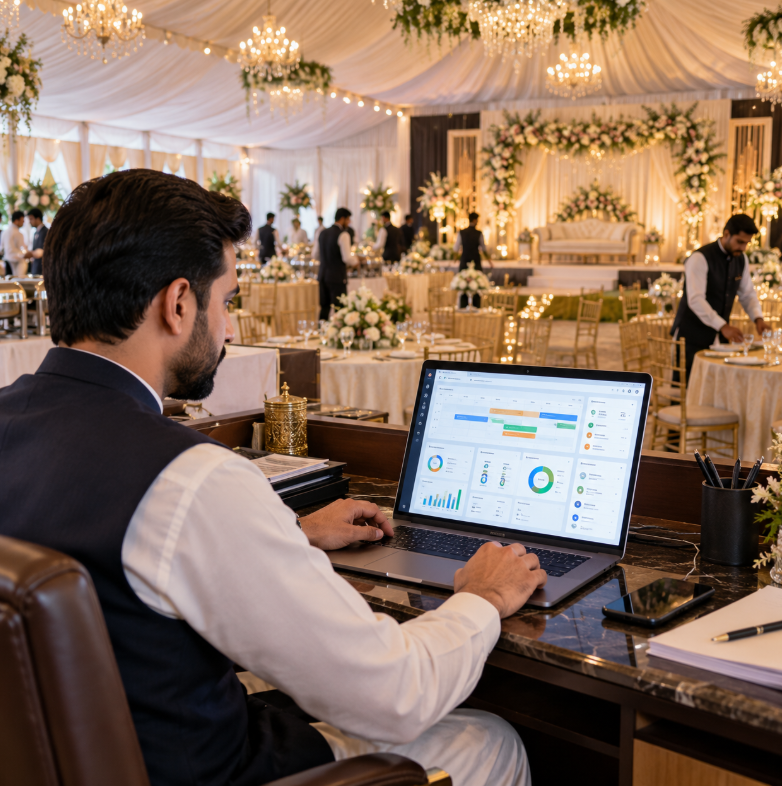
Running a successful marquee in Pakistan requires much more than booking wedding dates.
A single event can involve:
- Customer enquiries
- Quotations
- Hall or marquee availability
- Event timings
- Guest counts
- Menus
- Per-head pricing
- Customer advances
- Security deposits
- Contracts
- Suppliers
- Food purchases
- Inventory
- Staff
- Payroll
- Event expenses
- Accounting
- Customer outstanding balances
- Event profitability
When these activities are managed through separate registers, Excel sheets, WhatsApp messages and accounting files, the business can become difficult to control.
That is why many growing venue businesses eventually start looking for marquee management software in Pakistan.
The goal of marquee software should not simply be to replace a paper booking diary with a digital calendar.
A complete system should connect the entire event workflow — from the first customer enquiry to the financial result of the completed event.
This guide explains what Pakistani marquee owners should look for in management software and how a connected system can improve booking control, accounts, inventory, staff management and profitability.
What Is Marquee Management Software?
Marquee management software is a business system designed to organize the daily operational and financial activities of a marquee or event venue.
Depending on the software, it can help manage:
- Customer enquiries
- Quotations
- Packages
- Menus
- Venue availability
- Tentative bookings
- Confirmed bookings
- Event schedules
- Guest counts
- Customer advances
- Security deposits
- Invoices
- Outstanding balances
- Suppliers
- Purchases
- Inventory
- Food cost
- Employees
- Payroll
- Accounting
- Financial reports
- Event profitability
- Multiple branches
A complete system connects these areas instead of forcing each department to maintain separate records.
For example:
Enquiry → Quotation → Booking → Advance → Event Operations → Accounting → Profitability
That connection is what makes dedicated venue-management software more useful than a simple calendar.
Why Pakistani Marquees Need Specialized Management Software
A marquee operates differently from a normal retail business.
The customer does not simply buy something and leave.
A wedding or event may be booked months in advance.
Between the booking date and event date, many things can change.
The customer may:
- Change the guest count
- Change the menu
- Add services
- Remove services
- Change the event time
- Move the event date
- Make several payments
- Pay a security deposit
- Request a revised quotation
At the same time, the marquee may need to:
- Reserve the venue
- Prevent booking conflicts
- Order ingredients
- Arrange suppliers
- Schedule staff
- Prepare the kitchen
- Record expenses
- Collect outstanding payments
- Track inventory
- Calculate event profitability
This makes marquee management a connected business process rather than a simple booking process.
The Problem With Running a Marquee Through Registers
Paper registers can work when a business is small.
But as the number of events increases, several problems begin appearing.
For example:
- Staff may write bookings in different registers
- Customer payments may be recorded separately
- Tentative bookings may not be clear
- Rescheduled functions may create confusion
- Guest-count changes may not reach the kitchen
- Supplier payments may not match purchases
- Management may not know actual event profit
The biggest problem is not paper itself.
The biggest problem is disconnected information.
If five departments each maintain their own version of an event, mistakes become more likely.
The Problem With Managing Everything in Excel
Excel is an excellent business tool.
It can be useful for:
- Booking lists
- Customer balances
- Expense calculations
- Package costing
- Inventory analysis
- Reports
But problems appear when Excel becomes the operating system for the entire marquee.
You may eventually have files such as:
- Bookings.xlsx
- Customers.xlsx
- SupplierBalances.xlsx
- Inventory.xlsx
- Staff.xlsx
- Expenses.xlsx
- EventProfit.xlsx
Each file may be correct individually.
But management still has to combine information manually.
This becomes harder as more employees use the files.
Read our detailed comparison of marriage hall booking software vs Excel.
What Should Marquee Management Software Include?
A good marquee management system should reflect how venue businesses actually work.
The most important features usually fall into several areas:
- Sales and enquiries
- Quotations
- Booking management
- Customer payments
- Event operations
- Inventory and purchasing
- Suppliers
- Accounting
- Employees and payroll
- Management reporting
- Event profitability
Let us look at these areas in detail.
1. Customer Enquiry Management
Every booking starts with an enquiry.
A potential customer may contact your marquee through:
- Phone
- Website
- Walk-in visit
- Referral
The business should maintain important information such as:
- Customer name
- Phone number
- Event type
- Preferred date
- Expected guest count
- Preferred package
- Preferred venue
- Notes
This creates an organized sales process.
Instead of depending on one salesperson's phone, the enquiry becomes part of the business record.
2. Professional Quotations
Marquee quotations can become detailed.
They may include:
- Venue charges
- Per-head rates
- Menu
- Decoration
- Stage
- Lighting
- Additional services
- Taxes
- Discounts
Creating every quotation manually can take time.
It also creates the risk of inconsistent pricing.
A proper marquee management system should allow staff to build structured quotations using predefined:
- Packages
- Menu items
- Guest quantities
- Pricing rules
Once the customer accepts the quotation, the information should continue into the booking workflow.
Staff should not have to type everything again.
3. Quote-to-Booking Conversion
This is a particularly valuable feature.
Imagine the customer approves a quotation containing:
- 500 guests
- Premium menu
- Evening event
- Selected marquee
- Agreed price
If staff need to manually recreate the entire event as a booking, mistakes can happen.
A connected system should allow the accepted quotation to continue into the booking.
This creates a smoother workflow:
Enquiry → Quotation → Acceptance → Booking
4. Venue Availability
Availability is one of the most important parts of marquee management.
A venue business may have:
- One large marquee
- Multiple marquees
- Indoor banquet halls
- Outdoor lawns
- Multiple branches
Staff need to know exactly what is available.
The system should consider:
- Date
- Venue
- Start time
- End time
- Existing bookings
- Tentative holds
- Overnight events
This is much stronger than simply checking whether something is written against a date.
5. Booking Conflict Prevention
Double booking can seriously damage a marquee's reputation.
Imagine two families are promised the same venue at overlapping times.
By the time the problem is discovered:
- Invitations may already be printed
- Advances may already be paid
- Vendors may already be booked
The problem becomes extremely difficult to solve.
A good booking system should help identify overlapping events before another booking is confirmed.
This becomes especially important for businesses operating multiple halls and multiple event slots.
Read our guide on how to manage marriage hall bookings without double booking.
6. Tentative Booking Management
Not every interested customer immediately confirms.
Some customers may ask:
Please hold the date until tomorrow.
Tentative bookings can be useful.
But they need clear rules.
Your system should help distinguish between:
- Enquiry
- Quotation
- Tentative booking
- Confirmed booking
- Waitlist
- Rescheduled
- Cancelled
- Completed
A tentative booking should ideally have an expiry policy.
Otherwise, valuable dates can remain blocked even when the customer has stopped responding.
7. Multiple Marquee Management
Some businesses operate several event spaces at the same location.
For example:
- Marquee A
- Marquee B
- Grand Hall
- Lawn
A proper system should manage each space separately.
On the same date, you might have:
Marquee A: Confirmed
Marquee B: Available
Lawn: Tentative
The date itself is not necessarily unavailable.
The specific venue and time slot determine availability.
8. Event Timing Management
Date alone is not enough.
Suppose one event is:
12:00 PM to 4:00 PM
and another is:
7:00 PM to 11:00 PM
Both may be possible in the same venue.
But your operations team also needs enough time for:
- Cleaning
- Setup
- Decoration changes
- Catering preparation
- Supplier access
Therefore, good booking management should consider realistic event timings.
9. Overnight Event Handling
Some functions continue after midnight.
For example:
Start: Friday 10:00 PM
End: Saturday 2:00 AM
If the system only thinks in calendar dates, Saturday may incorrectly appear completely available.
A stronger system should understand the event as a time range.
This helps avoid scheduling conflicts.
10. Guest Count Management
Guest count affects almost every department.
It influences:
- Pricing
- Food
- Seating
- Staff
- Inventory
- Final billing
- Event profitability
Guest quantities may also change several times.
For example:
Original quotation:
400 guests
Later:
500 guests
Final count:
550 guests
The system should allow this information to remain connected to the same event.
11. Menu Management
Pakistani marquees often provide catering as an important part of the package.
The system should help maintain:
- Dishes
- Menu packages
- Per-head pricing
- Guest quantities
- Menu changes
This improves both quotation preparation and operational planning.
Menus should not exist only inside a printed quotation that the kitchen never sees.
12. Package Management
Marquees often sell predefined packages.
For example:
- Standard package
- Premium package
- Custom package
Packages may include:
- Venue
- Menu
- Decoration
- Service
- Additional facilities
Software can make package pricing more consistent.
It also becomes easier to review whether particular packages are financially performing well.
13. Customer Advances
Marquee customers usually do not pay the full amount immediately.
The payment journey may look like:
Booking advance
↓
Second installment
↓
Pre-event payment
↓
Final settlement
Every collection should remain connected with the customer.
Staff should be able to quickly answer:
- How much is the booking worth?
- How much has been received?
- How much remains outstanding?
This reduces payment disputes.
14. Outstanding Customer Balances
Outstanding balances deserve special attention.
A marquee may have a very strong future booking calendar.
But if customers have paid only small advances, the business can still face cash-flow pressure.
Management should regularly review:
- Upcoming events
- Amount received
- Amount outstanding
- Event date
Collections should not become an emergency on the day of the event.
15. Refundable Security Deposits
Security deposits should remain separate from normal booking collections.
For example:
Booking collection: Rs. 300,000
Refundable security deposit: Rs. 50,000
These amounts serve different purposes.
The business may need to return the Rs. 50,000.
Therefore, refundable deposits should remain identifiable through:
Receipt → Holding → Refund or Adjustment
This provides stronger financial control.
16. Customer Documents
Professional marquee operations generate several customer documents.
These may include:
- Quotation
- Contract
- Invoice
- Credit note
- Debit note
- Payment records
These documents should remain connected with the event where practical.
This gives staff a complete customer history.
17. Event Rescheduling
Wedding events can be postponed or rescheduled.
When this happens, the venue must:
- Check the new date
- Check venue availability
- Check event timing
- Move the booking
- Release the old slot
- Update the customer record
Simply changing a date in a notebook is risky.
The rescheduling process should trigger another availability check.
18. Event Cancellation
Cancelled events should not simply disappear from the system.
The business may need to review:
- Booking history
- Advance received
- Refund
- Cancellation charges
- Security deposit
- Customer balance
The event should normally remain in history with a clear cancelled status while releasing the venue slot.
19. Inventory Management
Inventory can represent one of the largest cost areas for marquees offering catering.
The business may manage:
- Rice
- Meat
- Chicken
- Oil
- Beverages
- Vegetables
- Spices
- Disposable items
- Cleaning products
- Other stock
A venue-management system can help track:
- Purchases
- Stock quantities
- Adjustments
- Consumption
- Inventory valuation
This is important because inventory directly affects profitability.
20. Food Cost Management
A busy marquee can generate large revenue and still struggle with margins if food costs are not controlled.
Management should understand what ingredients cost to deliver an event.
For example:
Event revenue: Rs. 900,000
But if ingredient costs are unusually high, the financial result can be much weaker than expected.
Food-cost information can help management review:
- Menu pricing
- Supplier prices
- Portion control
- Wastage
- Package profitability
21. Supplier Management
Marquees rely on many suppliers.
These may include:
- Food suppliers
- Beverage suppliers
- Decorators
- Florists
- Equipment vendors
- Lighting providers
- Furniture suppliers
- Cleaning suppliers
Software should help maintain supplier history.
Management should know:
- What was purchased
- What was paid
- What remains outstanding
Supplier relationships become easier when financial records are accurate.
22. Cash and Credit Purchases
Not every purchase is paid immediately.
A venue may make:
Cash Purchase
Goods are received and paid immediately.
Credit Purchase
Goods are received now and paid later.
The system should distinguish these clearly.
Credit purchases create supplier obligations that management needs to monitor.
23. Supplier Payables
A strong bank balance can be misleading if the business owes large amounts to suppliers.
Suppose:
Bank balance: Rs. 3,500,000
but:
Supplier payables: Rs. 2,000,000
Management should not think the full bank amount is available to spend.
Payable reporting provides important financial context.
24. Event Expenses
Some expenses belong directly to one particular event.
Examples include:
- Special decoration
- Temporary labour
- Equipment rental
- External entertainment
- Extra lighting
- Transport
These costs should remain associated with the event where appropriate.
This makes event profitability more meaningful.
25. Proper Accounting
Booking software alone does not provide complete financial control.
A growing marquee business also needs proper accounting.
Important areas may include:
- Chart of accounts
- Customer ledgers
- Supplier ledgers
- Cash receipts
- Cash payments
- Bank receipts
- Bank payments
- Journal entries
- Receivables
- Payables
- Financial statements
Venue Khata provides connected marriage hall accounting software that can support marquee and banquet operations as well.
26. Customer Receivables
Receivables represent money customers still owe.
A busy marquee may have strong sales but weak cash flow if customer balances remain unpaid.
Management should be able to identify:
- Customer
- Event
- Outstanding amount
- Event date
- Payment history
Regular receivable follow-up improves cash management.
27. Financial Statements
Owners should not manage the business using only:
- Booking count
- Sales
- Bank balance
Important financial reports can include:
- Trial balance
- Income statement
- Balance sheet
- Cash flow
These reports answer different questions about the business.
Explore Venue Khata reports.
28. Employee Management
Marquees often employ:
- Front-desk staff
- Sales staff
- Accountants
- Kitchen staff
- Event managers
- Waiters
- Cleaning staff
- Support workers
Employee information should be organized rather than scattered across files.
29. Attendance Management
Attendance can affect payroll.
Maintaining employee attendance within the same broader management system can make salary preparation more controlled.
The business can maintain records for:
- Presence
- Absence
- Working days
- Employee history
30. Salary Advances
Employees may take salary advances.
These need to be remembered during payroll.
For example:
Monthly salary: Rs. 60,000
Advance received: Rs. 15,000
Without a structured record, the advance can easily be forgotten.
31. Payroll
Payroll may involve:
- Salary
- Attendance
- Advances
- Recoveries
- Adjustments
- Deductions
- Payslips
- Payments
When payroll also connects with accounting, management receives a more complete picture of employee cost.
32. User Roles and Permissions
Not every employee should have access to every part of the system.
For example:
Sales Team
May need:
- Enquiries
- Quotations
- Customers
Front Desk
May need:
- Availability
- Bookings
- Event information
Accounts
May need:
- Customer receipts
- Supplier payments
- Vouchers
- Ledgers
Owner
May need:
- Financial reports
- Event profitability
- Branch reporting
Role-based permissions provide better control.
33. Event Profitability
One of the most important questions for any marquee owner is:
How much did this event actually contribute?
Consider two functions.
Event A
High booking value.
But also:
- Premium food
- Expensive decoration
- More labour
- High vendor cost
Event B
Lower booking value.
But:
- Simpler menu
- Fewer vendors
- Better cost control
Event B may produce a stronger financial result.
This is why management should look beyond sales.
Venue Khata provides event profitability reporting that compares booked charges with relevant recorded event expenses and ingredient food costs.
Event Profit Is Different From Overall Business Profit
Event-level profitability should not be confused with final company profit.
A marquee still has general overhead such as:
- Permanent salaries
- Utilities
- Marketing
- Rent
- Repairs
- Administration
These expenses may not be automatically allocated to each individual event.
Therefore owners should review both:
Event profitability
and
Overall financial statements
The two views answer different questions.
34. Multi-Branch Management
Some marquee businesses eventually expand.
For example:
- Lahore branch
- Islamabad branch
- Faisalabad branch
Managing each branch through separate spreadsheets becomes difficult.
A multi-branch system can help maintain separate operations while giving management a wider view.
Important capabilities may include:
- Branch-specific records
- Secure branch switching
- Separate venue operations
- Consolidated management reporting
35. Reports for Management
Software should not only store information.
It should help owners understand the business.
Useful reports may include:
- Reservation reports
- Customer outstanding balances
- Customer advances
- Supplier balances
- Receivables
- Payables
- Inventory movement
- Inventory valuation
- Food-cost information
- Employee/payroll records
- Financial statements
- Event profitability
Reports convert daily data into management information.
Why Marquee Owners Need Event-Level Reporting
Monthly totals can hide important problems.
Suppose the business generated:
Rs. 15 million revenue
this month.
That sounds excellent.
But management may still need to know:
- Which events generated the strongest contribution?
- Which menu was most expensive?
- Which events required excessive vendor costs?
- Which customers still owe money?
- Which packages need repricing?
Event-level reporting provides deeper visibility.
Why Package Costing Matters
Marquees frequently use predefined packages.
Suppose you have:
- Standard Package
- Gold Package
- Premium Package
Management should periodically review whether the package prices still make sense.
Ingredient and labour costs change.
A package that was profitable last year may have weaker margins today.
Historical profitability can help management make pricing decisions.
How Marquee Software Helps Prevent Revenue Leakage
Revenue leakage happens when the venue provides something but fails to charge properly for it.
Common examples include:
- Extra guests
- Additional dishes
- Additional decoration
- Extended event time
- Extra furniture
- Additional services
If these changes are communicated verbally but never added to the booking, the venue loses revenue.
A connected event record helps ensure approved changes remain visible.
Why Guest-Count Changes Need Control
Suppose a customer books:
400 guests
A few days before the event, they increase to:
500 guests
The change affects:
- Food
- Seating
- Staff
- Pricing
- Inventory
- Profitability
If only the kitchen learns about the new guest count but accounts does not, the customer may be undercharged.
Every significant guest-count change should update the event record.
Why Menu Changes Need Control
The same principle applies to menus.
A customer may add:
- Another meat dish
- Dessert
- Drinks
- Additional starter
These changes increase cost.
The final quotation or booking amount should reflect approved additions.
Otherwise, the venue may provide premium service while earning the margin of a cheaper package.
Why Accounting and Operations Should Be Connected
Imagine:
Front desk
knows the booking value.
Kitchen
knows what food was consumed.
Accounts
knows what the customer paid.
Purchasing
knows what suppliers charged.
If all four departments use separate systems, management must combine the information manually.
A connected ERP allows each department to contribute to the same broader event workflow.
This is one of the main advantages of specialized venue-management software.
Marquee Management Software vs Generic CRM
A generic CRM can be excellent for:
- Leads
- Customers
- Sales follow-ups
But it may not understand:
- Hall availability
- Event time conflicts
- Guest counts
- Menus
- Catering
- Security deposits
- Inventory
- Event profitability
A marquee system is designed around the specific workflow of an event venue.
Marquee Management Software vs Generic Accounting Software
Generic accounting software can be excellent for:
- Vouchers
- Ledgers
- Financial statements
But it may not understand:
- Quotations
- Event availability
- Guest counts
- Menus
- Rescheduling
- Event operations
A complete venue ERP connects both operational and financial workflows.
Marquee Management Software vs Excel
Excel is flexible and useful.
But as the business grows, it becomes harder to control:
- Multiple users
- Multiple venues
- Booking conflicts
- Customer payment history
- Supplier balances
- Inventory
- Event profitability
Dedicated software provides structured workflows.
Excel can still remain useful for custom analysis and forecasting.
What Should a Small Marquee Implement First?
A small marquee does not need to change everything on day one.
Start with the most important areas.
Phase 1
Implement:
- Customers
- Quotations
- Booking availability
- Booking status
- Customer advances
- Outstanding balances
Phase 2
Add:
- Accounting
- Suppliers
- Purchases
- Expenses
Phase 3
Add:
- Inventory
- Food costing
- Payroll
- Event profitability
Gradual implementation is often easier for staff.
Signs Your Marquee Needs Management Software
Your current system may be becoming difficult if:
- More than one booking diary exists
- Staff regularly call the owner to check availability
- Customers' outstanding balances are unclear
- Booking changes are mainly shared through WhatsApp
- Different departments maintain separate Excel files
- Supplier balances are difficult to confirm
- Inventory frequently does not match records
- The accounts team re-enters booking information
- Event profit is unknown
- Reports take several days to prepare
- The business operates multiple halls
- Another branch is being planned
These are signs that the operation may have outgrown a manual system.
Questions to Ask Before Choosing Marquee Management Software
Before selecting software, ask practical questions.
Booking
- Can it manage multiple venues?
- Does it check overlapping times?
- Can quotations convert into bookings?
- Can events be rescheduled?
- Can tentative bookings be managed?
Customers
- Can advances be tracked?
- Can outstanding balances be seen?
- Can security deposits remain separate?
- Can previous bookings be reviewed?
Operations
- Can guest counts be updated?
- Can menus be managed?
- Can event changes remain recorded?
Inventory
- Can purchases increase stock?
- Can consumption be tracked?
- Can food cost contribute to profitability?
Accounting
- Does it support proper ledgers?
- Are customer and supplier balances connected?
- Are receivables and payables available?
- Are financial statements included?
Management
- Can the owner see event profitability?
- Can several branches be managed?
- Are user permissions available?
- Are business records backed up?
The best demonstration is one based on your real event workflow.
A Good Software Demo Scenario
Instead of asking the software company to show random screens, give them one complete scenario.
For example:
Step 1
Create a customer with a wedding enquiry for 600 guests.
Step 2
Prepare a quotation with a package and menu.
Step 3
Check venue availability.
Step 4
Create a tentative booking.
Step 5
Receive an advance.
Step 6
Confirm the booking.
Step 7
Increase the guest count.
Step 8
Change one menu item.
Step 9
Record a supplier purchase.
Step 10
Record an event expense.
Step 11
Collect the remaining customer payment.
Step 12
Review the customer ledger.
Step 13
Review event profitability.
If the system can handle this workflow clearly, you will understand its practical value.
Marquee Management Software Built for Pakistan
Pakistani venue businesses have local requirements.
Useful local capabilities can include:
- PKR workflows
- Pakistani rupee formatting
- Customer advances
- Refundable security deposits
- Provincial sales-tax configuration
- Local terminology
- Local support channels
- Familiar subscription-payment methods
Venue Khata is specifically built for Pakistan.
Its current local workflows include PKR-based operations and subscription payment options such as bank transfer, JazzCash and Easypaisa.
How Venue Khata Supports Marquee Businesses
Venue Khata is built for marriage halls, marquees and banquet venues in Pakistan.
It connects the wider event workflow instead of treating bookings as an isolated calendar.
The workflow can move through:
Enquiry → Quotation → Booking → Customer Documents → Payments → Event Operations → Inventory → Accounting → Profitability
For marquee businesses, this can include areas such as:
- Customer quotations
- Packages and menus
- Venue availability
- Booking conflict checks
- Multiple halls
- Event timings
- Guest-count changes
- Customer advances
- Security deposits
- Outstanding balances
- Suppliers
- Inventory
- Payroll
- Accounting
- Financial reports
- Event profitability
- Multi-branch management
Explore the complete Venue Khata features.
Why Venue Khata's Booking Workflow Matters for Marquees
Marquee bookings can involve many changes between the quotation and event day.
Venue Khata's marriage hall booking software workflow is also suitable for marquee and banquet businesses.
It helps keep important information together, including:
- Quotations
- Event dates
- Venue availability
- Guest counts
- Menus
- Customer advances
- Outstanding balances
This provides the front desk with a clearer operational record.
Why Venue Khata's Accounting Matters for Marquees
Strong bookings do not automatically create strong financial control.
Owners also need to understand:
- Customer balances
- Supplier balances
- Receivables
- Payables
- Cash
- Bank
- Expenses
- Financial statements
Venue Khata connects these areas through its marriage hall accounting software, which can also support marquee operations.
Why Event Profitability Matters for Marquees
A large event is not automatically a profitable event.
One wedding may have:
- High booking value
- Premium food
- Expensive vendors
- Heavy decoration
- High labour cost
Another event may generate lower revenue but produce a stronger financial contribution.
Venue Khata's event profitability reporting helps management compare booked charges with relevant recorded event expenses and ingredient food costs.
Read our detailed guide on how to calculate the real profit of every marriage hall event.
Why Busy Marquees Still Need Profit Control
A packed event calendar can hide weak margins.
Problems may include:
- Excessive discounts
- Food wastage
- High supplier prices
- Unbilled extras
- High payroll
- Outstanding customer balances
If your venue is extremely busy but profit is disappointing, read why fully booked marriage halls can still lose money.
The same financial principles apply to marquee businesses.
Five Numbers Every Marquee Owner Should Know
A marquee owner does not need to personally review every transaction.
But management should regularly know several important numbers.
1. Confirmed Booking Value
How much future business is currently booked?
2. Customer Outstanding Balance
How much do customers still owe?
3. Supplier Payables
How much does the business owe suppliers?
4. Event Contribution
What remains after relevant direct event costs?
5. Overall Business Profit
What does the wider income statement show after general expenses?
These figures provide a much stronger picture than booking count alone.
A Daily Marquee Management Routine
A connected system is most useful when the team follows a consistent process.
Morning
Review:
- Today's events
- Upcoming bookings
- Tentative holds
- Outstanding customer payments
- Important supplier requirements
During the Day
Record:
- New enquiries
- Quotations
- Booking changes
- Customer payments
- Purchases
- Expenses
End of Day
Review:
- Collections
- Cash
- Important booking changes
- Upcoming events
This reduces the amount of information that gets lost between employees.
A Weekly Management Review
Every week, management can review:
- Future booking calendar
- Tentative reservations
- Customer receivables
- Supplier payables
- Large purchases
- Inventory issues
- Recent completed events
This helps identify problems before they become urgent.
A Monthly Owner Review
Monthly review should focus on the wider business.
Important areas include:
- Revenue
- Expenses
- Income statement
- Balance sheet
- Cash flow
- Customer outstanding balances
- Supplier balances
- Inventory
- Payroll
- Event profitability
A venue should not wait until year-end to discover that margins have been falling.
Common Marquee Management Mistakes
Mistake 1: Managing Availability Through Memory
Always use a central booking record.
Mistake 2: Treating Enquiries as Confirmed Bookings
Use clear statuses.
Mistake 3: Allowing Tentative Holds to Remain Forever
Create an expiry policy.
Mistake 4: Ignoring Event Times
Date alone does not prevent booking conflicts.
Mistake 5: Recording Customer Payments Separately
Keep collections connected with customer records.
Mistake 6: Mixing Deposits With Revenue
Refundable money should remain identifiable.
Mistake 7: Ignoring Supplier Balances
Strong cash does not mean the business has no obligations.
Mistake 8: Ignoring Inventory
Food cost can significantly affect profitability.
Mistake 9: Looking Only at Revenue
Sales are not the same as profit.
Mistake 10: Using Several Different Versions of the Same Event
Keep one connected event record.
How to Move From Registers to Marquee Management Software
The transition does not need to happen overnight.
Step 1: Identify Your Existing Records
Review:
- Booking registers
- Customer lists
- Packages
- Menus
- Supplier information
- Accounts
- Inventory
Step 2: Clean the Data
Remove duplicates and outdated information.
Step 3: Configure the Software
Set up:
- Company
- Venues
- Users
- Permissions
- Packages
- Menus
- Accounts
Step 4: Enter Upcoming Events
Future bookings are usually the most important records to bring into the new system first.
Step 5: Start All New Bookings in the System
Choose a clear transition date.
Step 6: Connect Payments and Accounts
Make sure customer collections and financial records follow the new workflow.
Step 7: Add Inventory and Suppliers
Once booking operations are stable, expand into purchasing and stock.
Step 8: Review Reports
Use the system's information to improve business decisions.
Software only creates value when management uses the data.
Is Marquee Management Software Worth It?
The answer depends on business complexity.
A very small marquee managed by one person may work successfully with a diary and Excel.
Software becomes increasingly valuable when the business has:
- Multiple employees
- Multiple event spaces
- High booking volume
- Frequent customer payments
- Catering operations
- Suppliers
- Inventory
- Payroll
- Multiple branches
- Detailed accounting requirements
The correct question is not:
Is software expensive?
The better question is:
What does our current manual process cost us in time, errors and lost visibility?
One prevented double booking or one major financial error can be more valuable than months of software cost.
Related Guides
Continue building a stronger venue-management system with these Venue Khata guides:
- Best Marriage Hall Management Software in Pakistan
- Marriage Hall Management Software Features Every Hall Owner Needs
- How to Manage Marriage Hall Bookings Without Double Booking
- Marriage Hall Booking Software vs Excel
- Complete Guide to Marriage Hall Accounting in Pakistan
- How Marriage Hall Accounting Software Simplifies Daily Accounts
- How to Calculate the Real Profit of Every Marriage Hall Event
- Why Fully Booked Marriage Halls Can Still Lose Money
Final Thoughts
Running a marquee successfully requires control over much more than the booking calendar.
The business needs to understand:
- Who is enquiring
- What was quoted
- What is booked
- Which venues are available
- What customers have paid
- What customers still owe
- What suppliers are owed
- What inventory is being consumed
- What staff costs
- What each event costs
- What each event contributes
- How the overall business is performing
When this information exists in separate diaries and spreadsheets, management spends too much time trying to combine it.
A complete marquee management software system helps bring the operational and financial sides of the venue together.
For Pakistani marquee owners, the goal should not simply be to digitize a booking register.
The goal should be to create one connected workflow from:
Customer Enquiry → Quotation → Booking → Event → Accounts → Profitability
Explore Venue Khata to see how bookings, accounting, inventory, customer balances, staff and event profitability can work together in one system built for Pakistani marriage halls, marquees and banquet venues.
Frequently Asked Questions
What is marquee management software?
Marquee management software is a system designed to help event venues manage customers, quotations, bookings, guest counts, payments, suppliers, inventory, accounts, employees and management reporting.
Why do Pakistani marquees need management software?
As booking volume and operational complexity increase, separate diaries, spreadsheets and accounting files become difficult to keep synchronized. Management software provides a more centralized workflow.
Can marquee software prevent double bookings?
A suitable booking system can check venue availability and overlapping event times before a new booking is confirmed.
Can marquee management software manage multiple venues?
Yes. Venue-focused systems can support several halls, marquees or other event spaces with separate availability.
Can marquee software manage customer advances?
A suitable system can keep customer payments connected with bookings so staff can see amounts received and outstanding balances.
Can marquee software manage menus and guest counts?
Venue-management systems can include packages, menu items, guest quantities and event changes as part of the booking workflow.
Does a marquee need accounting software?
Growing marquee businesses benefit from proper accounting for customers, suppliers, receivables, payables, expenses, cash, bank and financial statements.
Can marquee management software manage inventory?
Complete venue ERP systems can include purchasing, suppliers, stock movements, inventory valuation and food-cost visibility.
What is marquee event profitability?
Event profitability helps management compare event revenue with relevant direct event costs to understand the financial result of individual functions.
Is marquee event profitability the same as company profit?
No. Overall company profit also includes broader expenses such as permanent salaries, utilities, rent, marketing and administration.
Can Venue Khata be used for marquees?
Yes. Venue Khata is designed for marriage halls, marquees and banquet venues and supports venue, customer, menu, booking, accounting and profitability workflows.
Is Venue Khata built for Pakistan?
Yes. Venue Khata uses Pakistan-focused venue workflows, PKR formatting and local subscription payment options including bank transfer, JazzCash and Easypaisa.
Can Venue Khata manage multiple halls?
Yes. Its venue workflow supports multiple venues along with time-based conflict checking.
Can Venue Khata show event profitability?
Yes. Venue Khata includes event profitability reporting based on booked event charges, recorded event expenses and ingredient food costs.