
How to Manage Marriage Hall Bookings Without Double Booking
Learn how marriage halls can prevent double bookings, manage tentative and confirmed reservations, control event timings, track customer payments and maintain an accurate booking calendar.
By Venue Khata ·
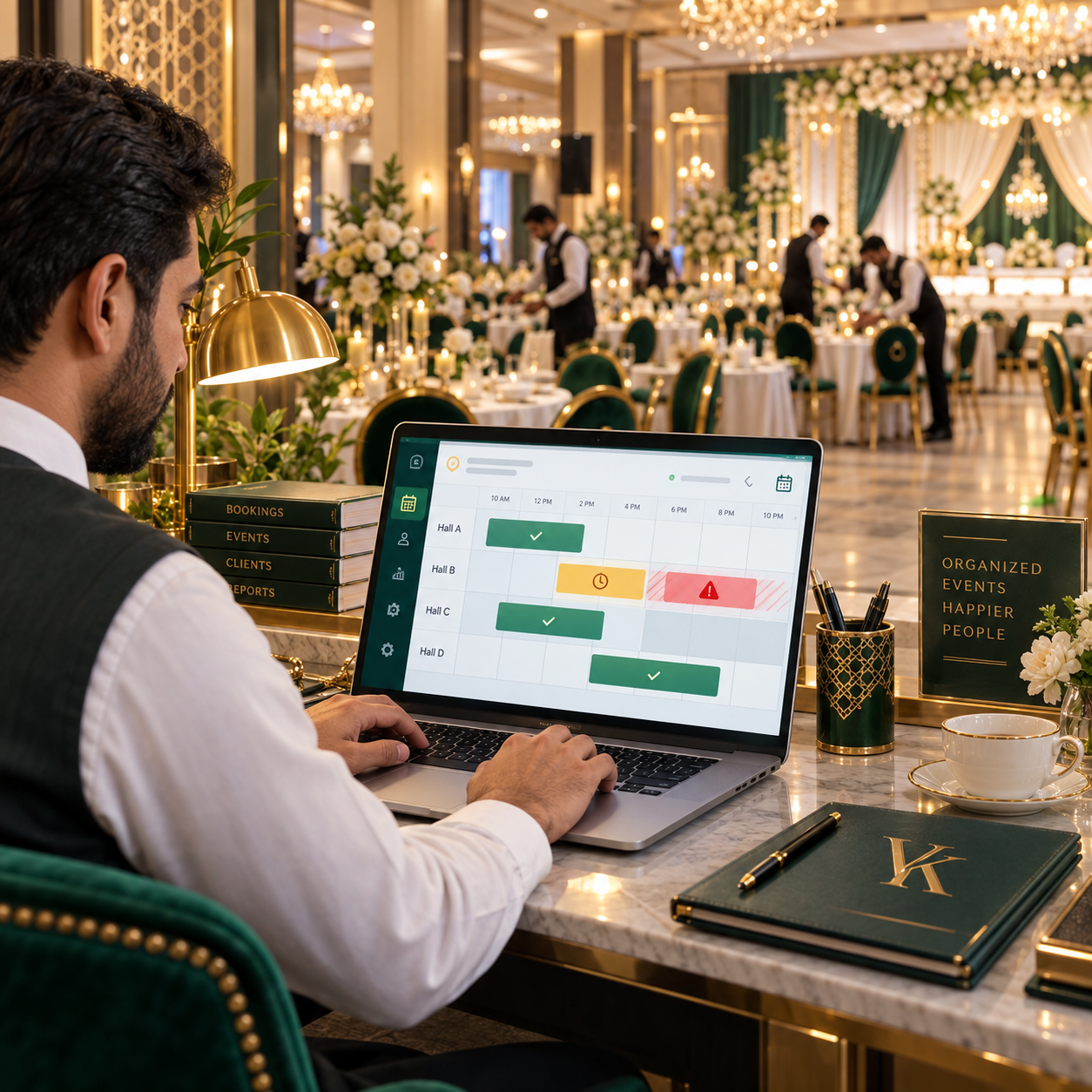
A double booking can be one of the most damaging mistakes a marriage hall can make.
Two customers may be promised the same hall, the same date or overlapping event times. By the time the problem is discovered, both families may have already printed invitations, paid advances and made arrangements around the venue.
At that point, the problem is no longer simply a scheduling mistake.
It can become a customer-service crisis.
The good news is that most double bookings are preventable.
The real solution is not simply telling staff to "check the register carefully." A marriage hall needs a clear booking process where enquiries, tentative reservations, confirmed bookings, event timings, hall availability and customer payments are managed consistently.
This guide explains how marriage halls, marquees and banquet venues can manage bookings more accurately and reduce the risk of double booking.
What Is a Double Booking in a Marriage Hall?
A double booking happens when two events are assigned to the same venue during overlapping periods.
The simplest example is:
- Customer A books Hall A for Saturday evening
- Customer B is also confirmed for Hall A on the same Saturday evening
But double bookings are not always this obvious.
Conflicts can also happen when:
- One event ends later than expected
- Another event requires setup time before the first one finishes
- A booking is rescheduled but the old date remains blocked
- A tentative booking is mistakenly treated as confirmed
- Different staff members use different registers
- Multiple halls have similar names
- An overnight event overlaps with the following day's booking
- A cancelled event remains active
- A customer changes the event time but the calendar is not updated
That is why proper booking management needs to consider both date and time.
Why Double Bookings Happen
Most double bookings are not caused by one careless employee.
They usually happen because the booking process itself is fragmented.
Here are some of the most common reasons.
1. Multiple Booking Registers
Some venues keep:
- One diary at reception
- Another register with the manager
- An Excel sheet in accounts
- WhatsApp messages with the owner
- Printed booking sheets
When multiple records exist, staff may not know which one is current.
For example, reception may confirm a date using the diary while the manager has already promised the same slot to another customer through WhatsApp.
The more places booking information exists, the greater the risk of conflict.
A marriage hall should have one central source of booking truth.
2. Tentative Bookings Are Not Clearly Defined
Tentative bookings are useful.
A customer may want time to:
- Discuss the venue with family
- Finalize the guest count
- Arrange an advance
- Compare packages
- Confirm the wedding date
The problem begins when tentative reservations are handled informally.
One employee may consider a tentative booking protected for 24 hours.
Another may treat it as available until payment is received.
This creates confusion.
Your business should define exactly what a tentative booking means.
For example:
Tentative booking: The date is temporarily held until a specified expiry time.
When that time expires, the venue automatically or manually becomes available again unless the booking is confirmed.
3. Staff Check Dates but Ignore Event Times
Imagine this schedule:
Event A
Hall: Main Banquet
Date: 10 October
Time: 1:00 PM to 5:00 PM
Event B
Hall: Main Banquet
Date: 10 October
Time: 4:00 PM to 9:00 PM
Both events are on the same date.
Even if the hall supports multiple functions per day, these two bookings overlap.
Simply checking the date is not enough.
A booking system needs to check:
- Start time
- End time
- Existing events
- Setup requirements
- Cleanup requirements
This is particularly important for venues that offer multiple event slots per day.
4. Rescheduled Events Are Not Updated Properly
Rescheduling is common in the event industry.
A customer may move an event because of:
- Family circumstances
- Weather
- Travel issues
- Venue preferences
- Government restrictions
- Other unexpected changes
When the event moves, the system should release the old date and reserve the new one correctly.
If staff simply write the new date somewhere else, the old slot may remain incorrectly blocked.
Worse, the new date may already have another booking.
Every reschedule should trigger a fresh availability check.
5. Cancellation Records Are Unclear
A customer cancels an event.
One employee knows about it.
Another employee does not.
The date remains marked as booked.
Later, staff may either:
- Lose a genuine booking opportunity because they believe the hall is occupied
or:
- Accidentally reactivate an old booking and create a conflict
Cancelled bookings should never simply disappear.
They should remain in the system with a clear Cancelled status while releasing the venue slot for new bookings.
6. Multiple Halls Are Managed in One Calendar Without Clear Separation
Many venue businesses operate more than one event space.
For example:
- Grand Hall
- Royal Hall
- Lawn
- Rooftop
- Marquee
- Banquet Hall
If staff maintain all of these bookings in one diary without clear hall identification, mistakes become more likely.
Every booking should clearly identify the exact venue.
Instead of recording:
Ali Wedding — 15 November
record:
Ali Wedding — Grand Hall — 15 November — 7:00 PM to 11:00 PM
The hall should never be assumed.
7. Booking Changes Are Shared Through WhatsApp Only
WhatsApp is useful for communication.
It should not become the official booking database.
A manager may send:
Customer shifted from Friday to Sunday.
But what happens if the employee responsible for the booking calendar does not see the message?
Any important booking change communicated through WhatsApp should also be updated in the central booking system immediately.
Communication tools should support the workflow, not replace it.
The Best Way to Prevent Double Bookings
Preventing double bookings requires a controlled process.
The following workflow works well for marriage halls, marquees and banquet venues.
Step 1: Record Every Enquiry
Every serious customer enquiry should be recorded.
Important information can include:
- Customer name
- Phone number
- Preferred date
- Preferred hall
- Event type
- Expected guest count
- Preferred event timing
- Notes
An enquiry should not automatically block the hall.
At this stage, the customer is simply interested.
The booking should only affect availability when the venue intentionally creates a hold or confirms the event.
Step 2: Check Availability Before Preparing the Final Commitment
Before staff promise a date to a customer, they should check the central calendar.
The availability check should consider:
- Venue
- Date
- Start time
- End time
- Existing tentative bookings
- Existing confirmed bookings
- Rescheduled events
- Overnight events
The employee should not rely on memory.
Even if the venue normally has only a few events, one overlooked booking is enough to create a serious problem.
Venue Khata provides a dedicated marriage hall booking software workflow for managing venue availability and bookings.
Step 3: Create the Quotation
Once availability has been checked, staff can prepare a quotation.
A quotation may include:
- Hall charges
- Guest count
- Package
- Menu
- Per-head rate
- Decoration
- Additional services
- Taxes
- Other charges
The quotation should remain connected to the customer.
If the customer accepts it, the same information should move into the booking instead of being entered again from scratch.
Repeated manual entry creates opportunities for mistakes.
Step 4: Use Tentative Booking Properly
If the customer wants the date held temporarily, create a tentative booking.
Do not simply write:
Maybe booked.
A tentative booking should have clear rules.
Record:
- Customer
- Hall
- Date
- Start time
- End time
- Tentative status
- Hold expiry
- Responsible employee
Your business might decide that a tentative booking is valid for:
- 12 hours
- 24 hours
- 48 hours
The exact policy can vary.
The important thing is that everyone follows the same rule.
Step 5: Require Confirmation Conditions
A venue should define what makes a booking officially confirmed.
For example:
A booking becomes confirmed when:
- The customer accepts the quotation
- The contract is prepared or accepted
- The required advance is received
- The booking is marked as confirmed
This prevents situations where one employee considers the date confirmed because the customer said "yes" on the phone while another employee believes the date is still available because no payment was received.
Your confirmation rule should be clear.
Step 6: Record the Booking Immediately
Once the booking is confirmed, update the system immediately.
Do not wait until the end of the day.
Do not leave a paper note for another employee.
Do not assume someone else will update it.
The booking should immediately contain:
- Customer
- Event type
- Hall
- Event date
- Start time
- End time
- Guest count
- Package
- Booking status
- Total value
- Advance received
- Outstanding balance
The faster the central calendar is updated, the lower the risk of another employee promising the same slot.
Step 7: Check for Time Conflicts Automatically
A proper marriage hall booking system should help detect conflicts.
Suppose an existing booking is:
Hall A
6:00 PM to 11:00 PM
A new employee tries to enter:
Hall A
9:00 PM to 1:00 AM
The system should identify that the timings overlap.
This is much safer than relying completely on employees to manually compare every time.
Automated checks are especially useful when the venue:
- Hosts multiple events each day
- Operates several halls
- Has several front-desk employees
- Handles frequent rescheduling
Step 8: Consider Setup and Cleanup Time
Event timings alone may not tell the full story.
Imagine an event ends at 5:00 PM and the next event begins at 5:30 PM.
Technically, the times do not overlap.
Operationally, this may be impossible.
Your team may need time to:
- Clean the hall
- Change decorations
- Rearrange tables
- Prepare food service
- Set up the stage
- Test lighting
- Allow suppliers to enter
Therefore, your booking policy should include realistic buffer time.
For example:
Event ends: 5:00 PM
Cleanup/setup buffer: 2 hours
Next safe booking: 7:00 PM
The appropriate buffer depends on your venue.
Step 9: Handle Overnight Events Carefully
Overnight events are particularly risky.
A booking may begin:
11:00 PM — Friday
and end:
2:00 AM — Saturday
If staff only look at Friday on the calendar, they may assume Saturday is completely available.
Your booking system should treat the event as an actual time range rather than simply attaching it to one date.
Step 10: Create a Clear Rescheduling Process
When a customer requests a new date, do not simply edit the booking immediately.
Use a controlled process.
First
Check availability for the requested new date and time.
Second
Confirm that the new slot does not conflict with:
- Confirmed events
- Tentative events
- Other halls
- Overnight functions
Third
Move the booking.
Fourth
Release the original slot.
Fifth
Keep a record of the change where appropriate.
This protects both the old and new dates.
Step 11: Use Clear Booking Statuses
Every event should have a clear status.
Useful statuses can include:
- Enquiry
- Quotation
- Waitlist
- Tentative
- Confirmed
- Postponed
- Rescheduled
- Cancelled
- Completed
Avoid unclear labels such as:
- Maybe
- Almost confirmed
- Probably
- Pending customer
Staff should be able to look at a booking and immediately understand whether the venue is available.
Step 12: Keep Customer Payments Connected With the Booking
The booking calendar should not be completely separate from customer payments.
Suppose a venue policy says:
A booking is only confirmed after receiving a 30% advance.
The booking system and accounting process should make it easy to verify whether that payment has actually been received.
A complete workflow can look like:
Quotation → Tentative Booking → Advance Received → Confirmed Booking
This reduces confusion between front-desk and accounts teams.
Venue Khata connects booking workflows with marriage hall accounting.
How to Manage Tentative Bookings Without Losing Customers
Some venue owners avoid tentative bookings completely because they fear blocking valuable dates.
That is not always necessary.
Tentative bookings can work well if there is a clear policy.
For example:
Rule 1: Every tentative booking has an expiry time
Do not allow unlimited holds.
Rule 2: The customer knows the expiry time
Tell the customer clearly when the hold ends.
Rule 3: Another interested customer can join a waitlist
If another customer asks for the same slot, record their interest.
Rule 4: Advance payment confirms the date
Use a consistent confirmation rule.
Rule 5: Expired tentative bookings are released
Do not allow old tentative records to block the calendar forever.
This creates a fair system for both customers and the business.
How to Manage Multiple Halls Without Confusion
If your business operates several event spaces, every venue should have its own identity in the system.
For example:
Venue 1: Grand Hall
Venue 2: Royal Hall
Venue 3: Lawn
Venue 4: Rooftop
When staff check a date, they should be able to see which specific venues are:
- Available
- Tentative
- Confirmed
- Blocked
This allows the business to accept multiple events on the same date without creating confusion.
For example:
Grand Hall: Confirmed
Royal Hall: Available
Lawn: Tentative
The entire date is not "booked."
Only specific venues and time slots are occupied.
How to Manage Morning and Evening Events
Some marriage halls host more than one event per day.
For example:
Morning event: 11:00 AM to 3:00 PM
Evening event: 7:00 PM to 11:00 PM
This can work well, but the schedule should account for:
- Event ending time
- Guest exit time
- Cleaning
- Kitchen preparation
- Hall setup
- Supplier access
- Staff rest
- Decoration changes
Do not create event slots based only on maximizing bookings.
Create slots that operations can realistically deliver.
A booking calendar should support the operational reality of the venue.
How to Handle Booking Changes
Marriage hall bookings often change.
Customers may modify:
- Guest count
- Menu
- Hall
- Date
- Time
- Package
- Additional services
Not every change creates a scheduling conflict.
But changes to the hall, date or time should always trigger another availability check.
For example, a customer originally booked:
Hall B — 7:00 PM
and later requests:
Hall A — 7:00 PM
The date and time stayed the same, but the venue changed.
The system must check whether Hall A is already occupied.
Never assume that an existing confirmed customer can automatically switch to another venue.
Why a Shared Excel Sheet Is Still Risky
Excel is much better than using multiple paper diaries, but it still has limitations for busy venue operations.
Common issues include:
- Employees accidentally overwrite information
- Formulas may be changed
- Different copies of the file circulate
- Booking conflicts depend on manual checking
- Statuses may be inconsistent
- Customer payments remain in another system
- Booking history can be difficult to audit
- Permissions are limited compared with dedicated systems
Excel can still be useful for analysis.
But once several employees are simultaneously managing bookings, payments and event changes, dedicated booking software provides stronger control.
Why WhatsApp Should Not Be Your Booking Calendar
WhatsApp is extremely useful for customer communication.
It can help with:
- Sending quotations
- Answering questions
- Sharing location
- Confirming details
- Communicating changes
But WhatsApp conversations are not a reliable venue calendar.
Important information can become buried inside hundreds of messages.
A customer saying:
Please shift my event to Sunday.
does not mean the booking has safely moved.
The employee should:
- Check Sunday's availability
- Update the central booking record
- Confirm the change
- Release the old date
Use WhatsApp to communicate.
Use your booking system to control availability.
Create One Source of Truth
This is one of the most important principles in booking management.
Your staff should always know:
Where do I check whether this hall is available?
There should be one answer.
Not:
Check the diary first, then ask accounts, then check the Excel file, then call the manager.
One central booking system should contain the current booking status.
Other tools can support the process, but they should not become competing booking records.
Define Who Is Allowed to Confirm Bookings
Another useful control is limiting who can officially confirm a booking.
For example:
Reception Staff
Can:
- Create enquiries
- Prepare quotations
- Check availability
- Create tentative reservations
Booking Manager
Can:
- Confirm bookings
- Reschedule events
- Cancel bookings
Accounts Staff
Can:
- Record advance payments
- Check outstanding balances
Your exact roles may differ.
The important point is to create responsibility.
If every employee can casually confirm, move or cancel events, scheduling becomes harder to control.
Use a Daily Booking Review
Software helps, but good management practices still matter.
Every day, your team can quickly review:
- Today's events
- Tomorrow's events
- Upcoming tentative bookings
- Outstanding customer balances
- Recent reschedules
- Recent cancellations
This short review helps catch problems before they become urgent.
Use a Weekly Forward Booking Review
Management should also review future bookings regularly.
For example, check the next:
- 7 days
- 14 days
- 30 days
Look for:
- Overlapping timings
- Very short setup gaps
- Tentative bookings nearing expiry
- Missing customer advances
- Events without finalized guest counts
- Rescheduled events
- Outstanding balances
This turns the booking calendar into a management tool rather than simply a record.
Booking Information Every Event Should Have
At minimum, each confirmed event should clearly contain:
- Booking number
- Customer name
- Customer phone number
- Event type
- Event date
- Venue
- Start time
- End time
- Guest count
- Package or menu
- Booking status
- Total amount
- Advance received
- Outstanding balance
Depending on your business, you may also include:
- Security deposit
- Decoration details
- Special instructions
- Event manager
- Notes
Complete information makes it easier for every department to work from the same event record.
Common Booking Mistakes to Avoid
Mistake 1: Confirming Before Checking Availability
Never promise a date first and check later.
Mistake 2: Using Only the Event Date
Always consider venue and time.
Mistake 3: Treating Tentative and Confirmed Bookings the Same
Use clear statuses.
Mistake 4: Allowing Tentative Holds to Remain Forever
Use expiry rules.
Mistake 5: Rescheduling Without Rechecking Availability
Every new date requires another conflict check.
Mistake 6: Updating WhatsApp but Not the Booking System
Communication does not replace the central record.
Mistake 7: Ignoring Setup Time
Back-to-back events may still conflict operationally.
Mistake 8: Deleting Cancelled Bookings Completely
Keep a clear historical status where appropriate.
Mistake 9: Keeping Different Calendars for Different Employees
Use one source of truth.
Mistake 10: Disconnecting Payments From Confirmation
Define when an event actually becomes confirmed.
A Simple Marriage Hall Booking Workflow
A controlled booking process does not have to be complicated.
A practical workflow can be:
1. Customer Enquiry
Record customer and event requirements.
2. Availability Check
Verify hall, date and event time.
3. Quotation
Prepare the package and pricing.
4. Tentative Hold
Temporarily reserve the slot if required.
5. Customer Confirmation
Customer accepts the quotation.
6. Advance Payment
Record the required advance.
7. Confirmed Booking
Change the booking status to confirmed.
8. Event Updates
Maintain guest count, menu and other changes.
9. Final Payment Follow-Up
Review outstanding balance before the event.
10. Event Completion
Mark the event complete after it takes place.
This process gives staff a clear path from enquiry to completed event.
How Venue Khata Helps Manage Marriage Hall Bookings
Venue Khata is designed to connect booking operations with the broader management of a marriage hall, marquee or banquet venue.
Its booking workflow helps businesses organize areas such as:
- Customer enquiries
- Quotations
- Venue availability
- Multiple halls
- Event timings
- Booking conflicts
- Tentative bookings
- Confirmed bookings
- Guest counts
- Menus
- Rescheduling
- Customer advances
- Outstanding balances
Instead of maintaining booking information in isolated registers, the event can remain connected with customer and financial information.
You can explore the dedicated Venue Khata marriage hall booking software.
Why Connecting Bookings With Accounts Matters
Consider this situation.
The front desk marks an event as confirmed.
But the accounts team says no advance was received.
Who is correct?
This problem happens when bookings and payments are completely separate.
A connected process makes it easier to follow:
Quotation → Booking → Advance → Outstanding Balance → Final Collection
This reduces misunderstandings between departments.
It also gives management better visibility into upcoming events that still have significant balances outstanding.
Learn more about marriage hall accounting software.
What Happens After the Booking?
A booking is only the beginning of the event lifecycle.
After confirmation, the business may still need to manage:
- Guest quantities
- Menu
- Purchases
- Inventory
- Suppliers
- Event expenses
- Customer collections
- Payroll
- Accounting
Eventually, management should be able to understand how the completed event performed financially.
Venue Khata connects operational information with event profitability reporting.
This is why a complete venue ERP can provide more value than a standalone calendar.
Is Booking Software Worth It for a Small Marriage Hall?
Even a smaller venue can experience serious consequences from one booking mistake.
Dedicated software becomes especially valuable when:
- More than one employee handles enquiries
- The venue has multiple halls
- Multiple events can occur in one day
- Customers frequently reschedule
- Payments are collected in installments
- Staff rely heavily on WhatsApp
- The owner is not always present
A small venue may not need every advanced ERP feature immediately.
But maintaining one reliable booking record can provide value from the beginning.
Signs Your Current Booking Process Needs Improvement
Your process may need better controls if:
- Staff regularly call the owner to ask whether a date is available
- More than one booking diary exists
- Customers are given verbal holds without expiry dates
- Booking changes are mainly communicated through WhatsApp
- Employees manually calculate availability
- Rescheduled events cause confusion
- Customer advances are difficult to verify
- Different employees use different booking statuses
- Multiple halls are managed in one unclear calendar
- Staff have previously almost double-booked a hall
You do not need to wait for a major double-booking incident before improving the process.
Final Thoughts
Preventing double bookings is not about asking employees to be more careful.
It is about building a booking process where errors are harder to make.
A strong process should provide:
- One central booking calendar
- Clear venue identification
- Start and end times
- Booking conflict checks
- Tentative booking rules
- Confirmation requirements
- Controlled rescheduling
- Clear cancellation statuses
- Customer payment visibility
- Defined staff responsibilities
Most importantly, everyone should work from the same booking information.
When enquiries, quotations, availability, customer payments and confirmed events are managed in one connected workflow, marriage halls can reduce scheduling mistakes and give customers a much more professional experience.
Explore Venue Khata to see how a connected marriage hall management system can help organize bookings, accounts and venue operations in one place.
Frequently Asked Questions
How can a marriage hall prevent double bookings?
Use one central booking calendar that checks the exact venue, date, start time and end time before a booking is confirmed. Tentative bookings, rescheduling and cancellations should also follow clearly defined processes.
What causes double bookings in marriage halls?
Common causes include multiple registers, unclear tentative bookings, manual calendars, overlapping event times, rescheduling mistakes and booking changes that are communicated but not updated centrally.
Should tentative bookings block the hall?
They can, but every tentative booking should have a clear expiry time. Once the hold expires, the venue should become available again unless the customer confirms.
How long should a tentative booking be held?
This depends on the venue's policy. Some businesses may use a 12-hour, 24-hour or 48-hour hold. The most important thing is to apply the same policy consistently.
Can Excel prevent double bookings?
Excel can be used to maintain a booking schedule, but conflict detection, user permissions, status management and real-time coordination generally require more manual control than dedicated booking software.
Should WhatsApp be used for booking management?
WhatsApp is useful for customer communication, but important booking changes should always be updated in the central booking system. WhatsApp should not be the main availability calendar.
What booking details should a marriage hall record?
Important details include customer information, event date, hall, start and end time, guest count, booking status, package, total amount, advance received and outstanding balance.
Can Venue Khata detect booking conflicts?
Venue Khata's marriage hall booking workflow is designed around venue availability and time-based conflict management so staff can check existing bookings before confirming new events.
Can Venue Khata manage multiple halls?
Yes. Venue Khata supports venue-based booking workflows so businesses operating multiple halls can manage availability separately.
Does Venue Khata connect bookings with customer payments?
Yes. Venue Khata connects booking workflows with accounting and customer collection records, helping management follow advances and outstanding balances.